

TL;DR
- Client: Contab - accounting outsourcing for businesses in Uzbekistan
- Challenge: eliminate lost requests, give management full visibility, and provide a convenient channel for clients
- Solution: platform + mobile app, ticketing, document management, Didox, financials, notifications
- Impact: unified task flow, transparent statuses, less manual routine and forgotten issues
- Format: collaborative design, iterations, regular sync-ups
Context
Contab operates as an external accounting department for dozens of companies. Here, speed and accuracy directly affect client trust, and a single document error can lead to financial risks.
As the volume of requests grew, it became clear: chats, spreadsheets, and personal messages offered no oversight, and service quality depended on who noticed a message first. A unified system was needed where status, deadlines, and history for each client are always visible.
The Problem and Its Symptoms
Before implementation, things looked like this:
- Requests came in through bots, direct messages, and group chats
- Task statuses were unclear to management
- Critical issues could be forgotten or lost
- The team had no unified history per client
- Documents and invoices were stored in scattered locations
Project Goals
We defined simple and measurable success criteria:
- Single entry point for all tasks - no request gets lost
- Transparent statuses - management sees the full picture in real time
- Documents and finances in one system - fewer manual forwards and duplicates
- Scalability-ready - architecture that handles growth
The Solution: A Unified Platform and Client App
We built a complete client service system:
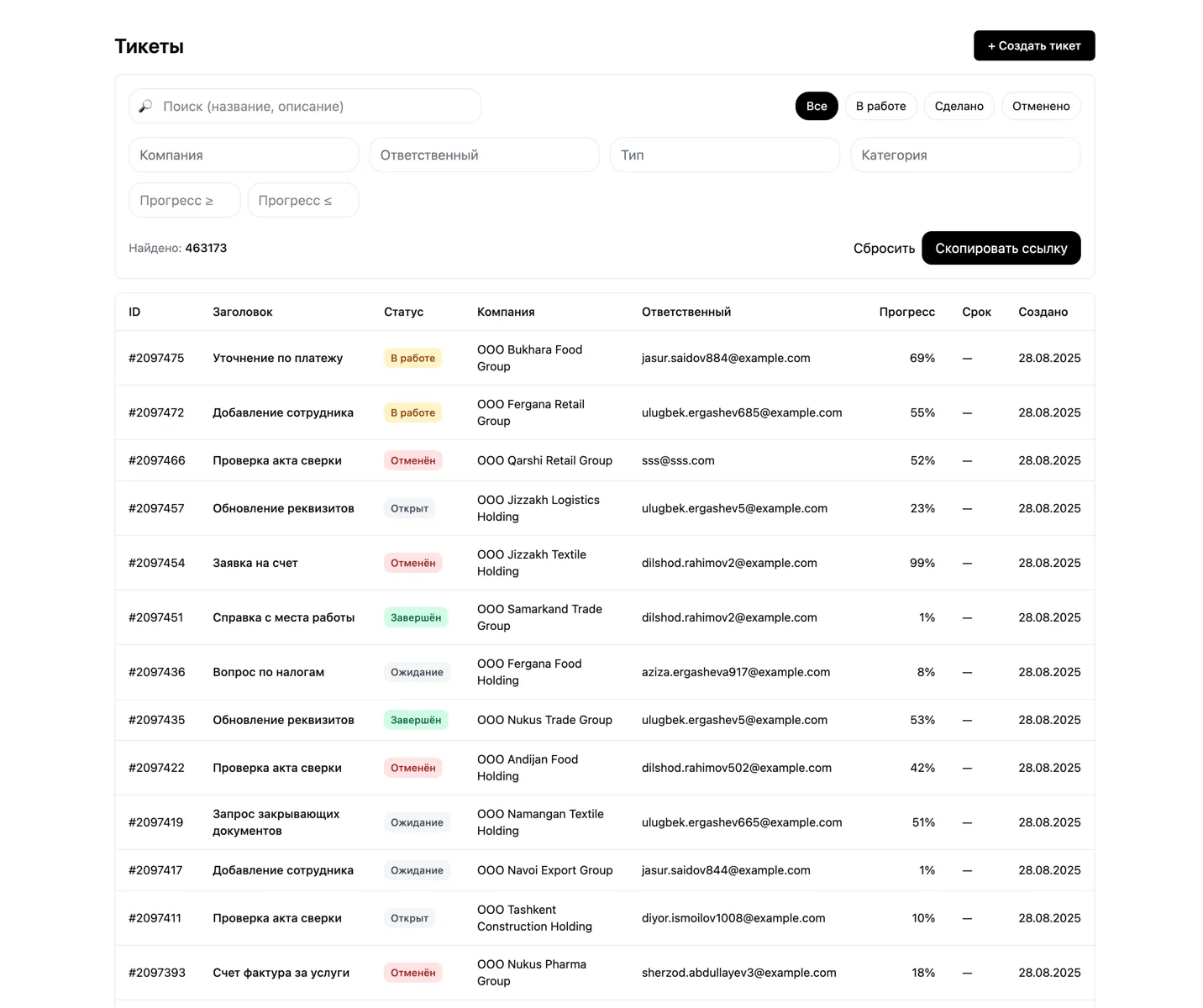
- Service desk and tickets - a unified request queue with assignees, deadlines, and conversation threads per task
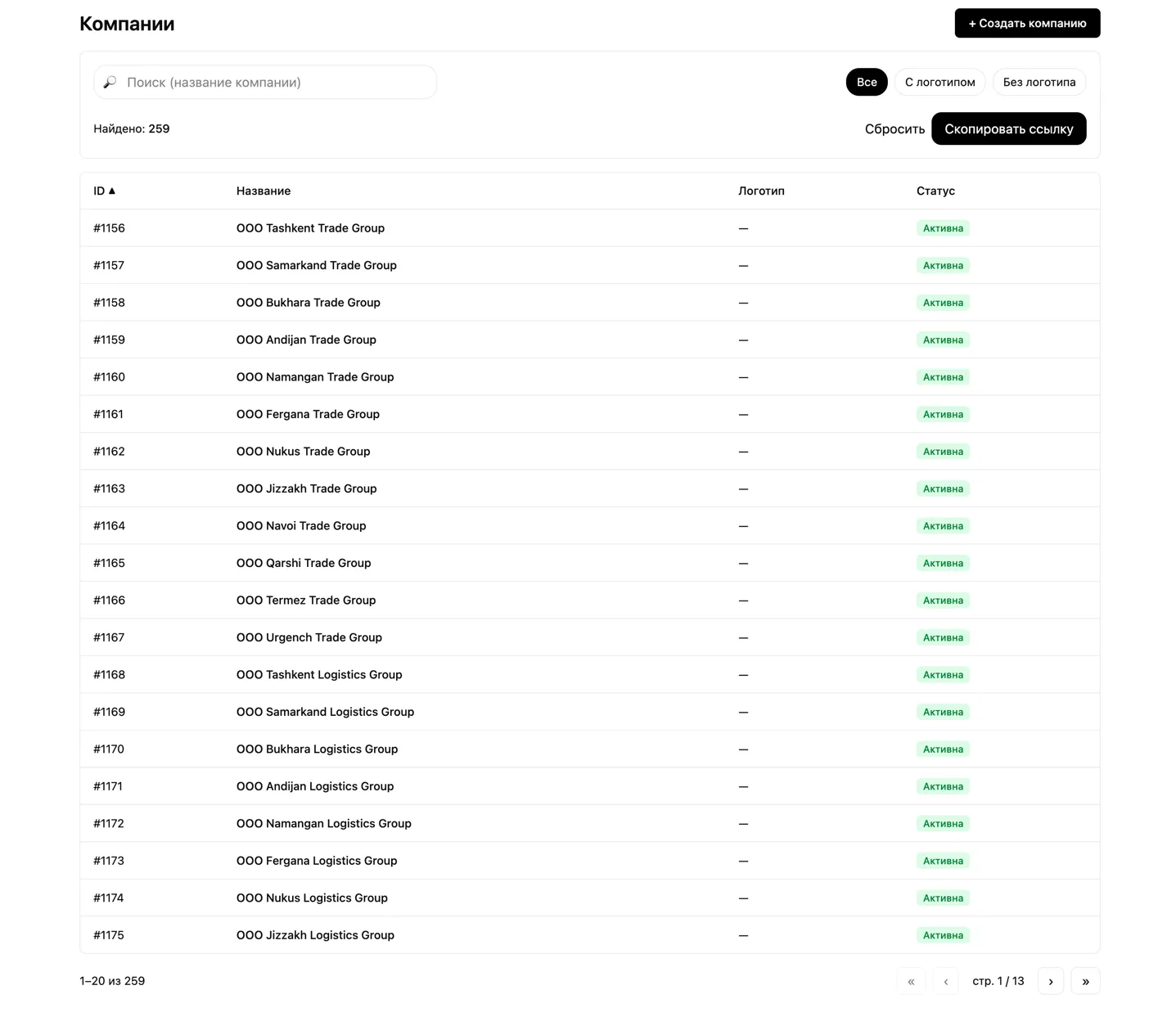
- Roles and companies - basic access controls are in place now, with full RBAC Role-Based Access Control, a permission model based on user roles and flexible company-level segmentation planned for future versions
- Document management - a unified registry linked to tasks
- Didox EDI integration - document and status synchronization
- Financial module - bank statements and account transactions after upload by a Contab employee
- AI module - already used by managers to draft client responses, with more automation and analytics scenarios planned for upcoming versions
We also built Contab Mobile so clients can create requests and work with documents in a single interface.
What the System Looks Like
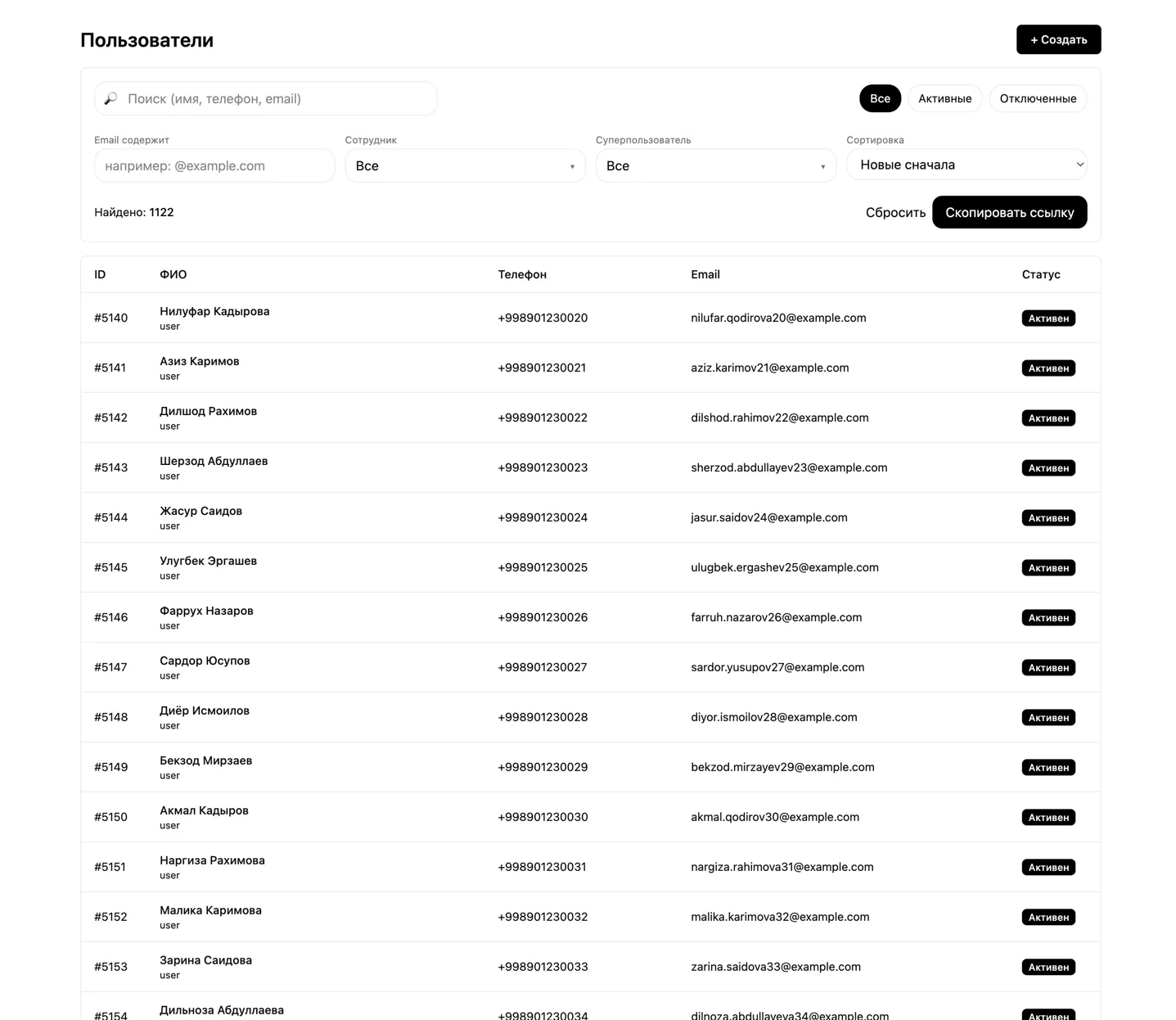
Admin Panel in Action
Screenshots with demo data for the portfolio.
Mobile App for Clients
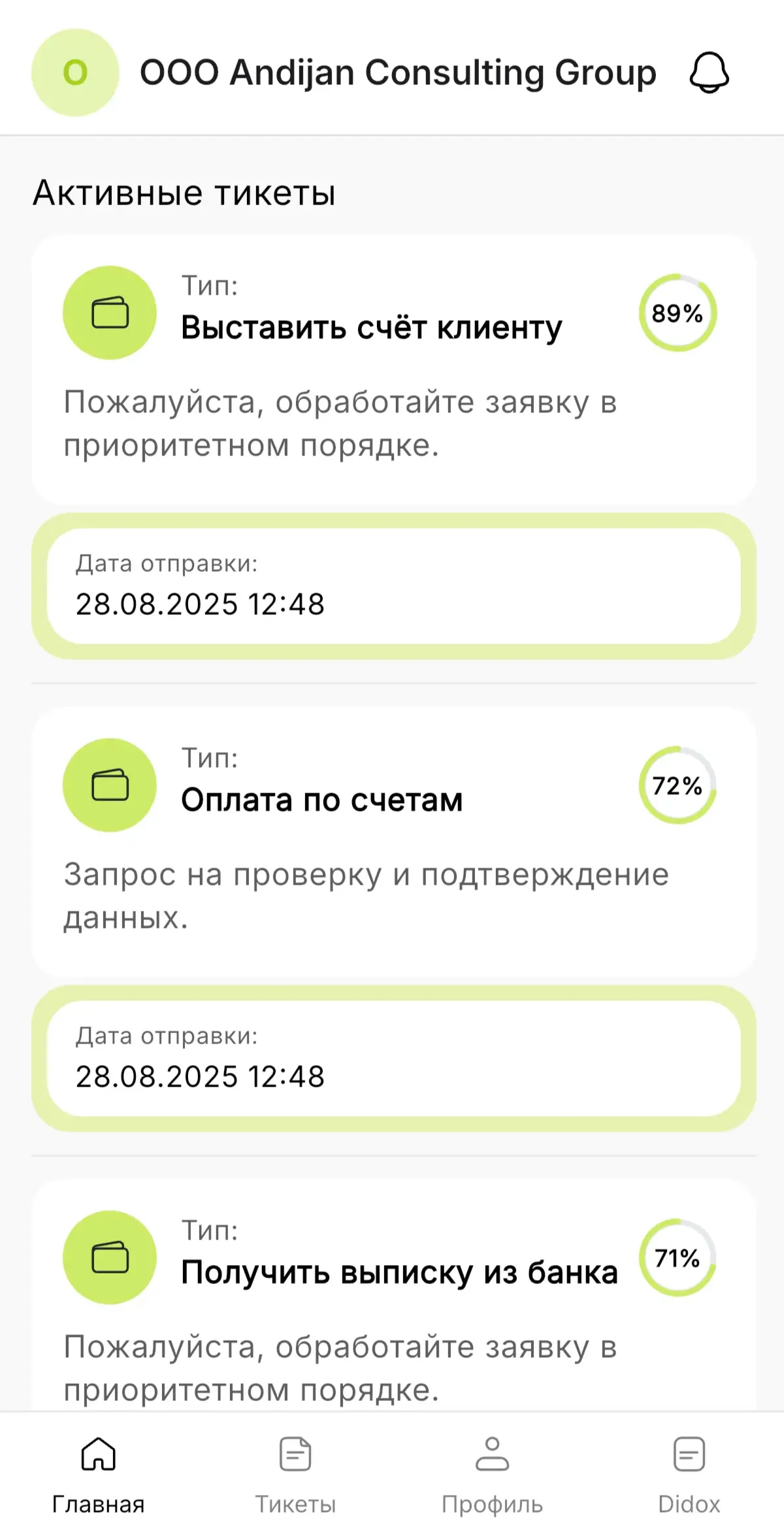
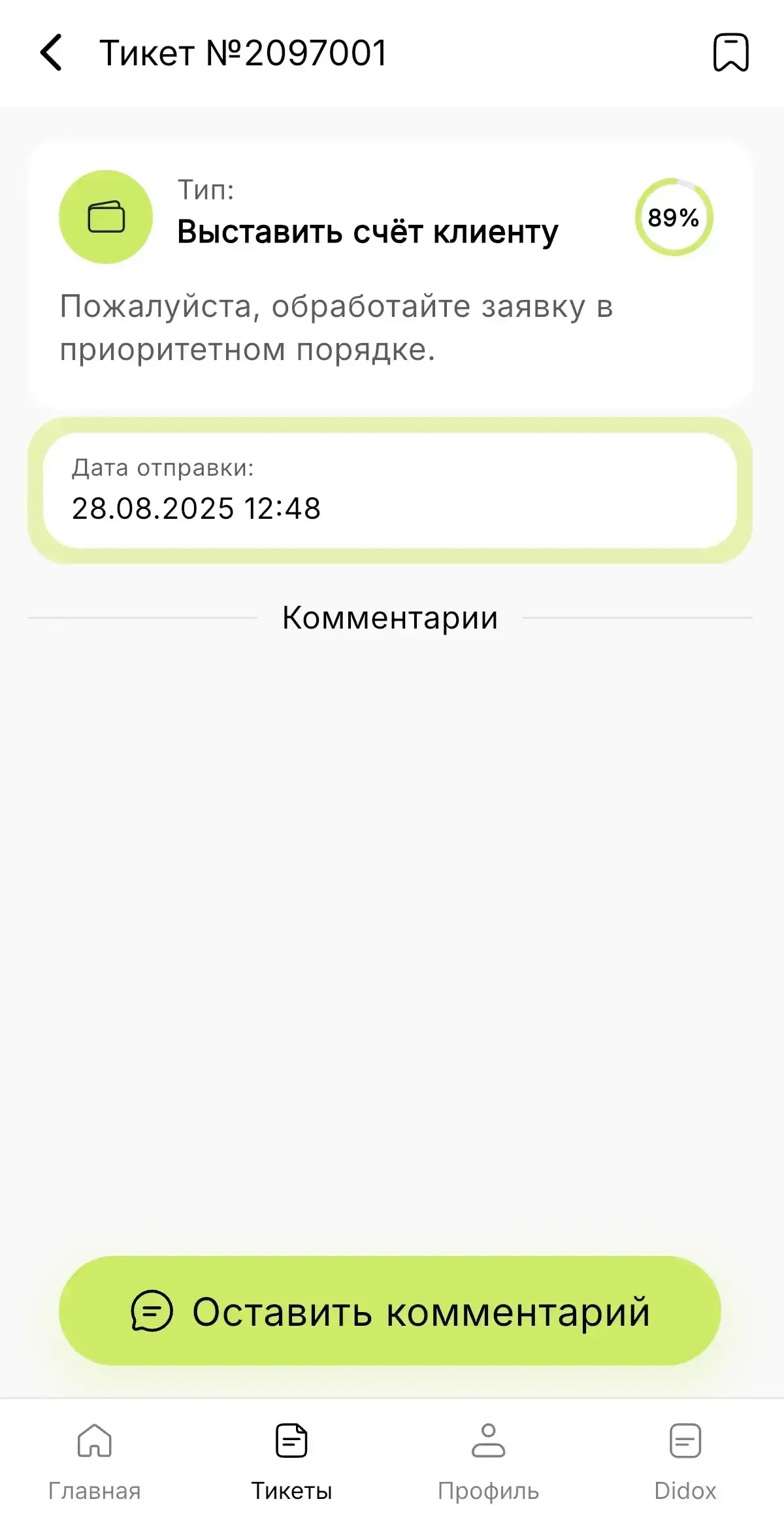
Contab Mobile for iOS and Android became a single point of access for clients. Now clients have a convenient communication channel with their accounting team - no calls or emails needed.
Key features:
- Request creation via dynamic templates with real-time status tracking
- In-ticket chat with attachments and system events
- Didox documents with quick approval and rejection with a stated reason
- Fast company switching without re-authentication
- Account transaction list after bank statements are uploaded by a Contab employee
- Notification center with push notifications and platform news
Contab Mobile
Two key screens for the client.
If you need a similar client portal, check out our service page: mobile app development.
Key Decisions: Why This Works
1. Request Builder Instead of Free Text
Request templates with required fields and validators establish a unified data standard. The team receives fully completed requests, and time spent on clarifications is reduced.
2. Roles and Companies: Current Scope and Roadmap
The platform currently runs a basic permissions framework and company context for the team’s daily operations. Full RBAC Role-Based Access Control, a permission model based on user roles and advanced multi-tenant rules are planned for the next phase, enabling safe scaling as the client base grows.
3. Didox EDI Integration
We connected the Didox integration with the client mobile app. Clients immediately see up-to-date document statuses, and when a new document appears, they can create a ticket for the Contab team with a clear action: sign the document or submit a rejection with a reason. This speeds up approvals and reduces manual back-and-forth.
Client Scenario
- The client creates a request in the mobile app and attaches documents.
- The request enters the appropriate workflow, gets assigned to a responsible person, and receives a status.
- The client sees progress, receives notifications, and can approve a document in Didox.
- Management sees all tasks and deadlines in a unified dashboard.
Results: What Changed
For Management
- All request statuses, documents, and assignees are visible on a single screen
- Easier to monitor deadlines and risk points without manually gathering data from chats
- A unified action history per client enables service quality control
For the Team
- All requests arrive in a single queue with clear context and attachments
- Didox document tasks for signing and rejections are tracked in the system rather than lost in chat threads
- AI suggestions help prepare client responses faster and reduce routine work
For Clients
- Both requests and documents are accessible in a single mobile app
- New documents can be immediately forwarded to Contab with the required action
- Communication became predictable: one channel, clear statuses, less waiting
How We Worked
- We started by thoroughly understanding how the team and clients actually work with tasks and documents
- At key stages, we proposed several viable options and chose the best one together with the client
- We worked in short iterations and stayed in constant communication on decisions and priorities
- We regularly demoed intermediate versions to validate agreed business scenarios with demo data
- We quickly gathered feedback and immediately refined modules to a working result
Who This Solution Is For
This solution is especially relevant if:
- you run accounting or legal outsourcing and process a high volume of similar requests
- your team serves many clients and legal entities, and tasks and documents need to follow a clear process
- management needs transparent control over statuses, deadlines, and team workload
- clients need a convenient mobile channel for requests, documents, and communication
FAQ
How long does it take to implement a system like this?
The base setup typically takes 4-6 weeks. Beyond that, the timeline depends on the number of features and integrations. The estimate includes not just development but also business process analysis to deliver a solution that truly works.
Can we start with just one department?
Yes. This helps you see results quickly and scale the system safely.
How are roles and access handled?
We design roles and access controls to fit your operating model: from simple permission levels to detailed rules by role and company. The architecture is built so that as your team and client base grow, there are no access conflicts or manual workarounds.
How does the Didox EDI integration work?
Through the official API with error handling and status synchronization.
Can we migrate data from Excel and chats?
Yes, we help with data import and request format configuration.